Bring Your Screens to Life with Rive Data Binding
Digital signage has a reputation problem. For most people, it still means a looping MP4 of last quarter's promo or a PowerPoint export quietly aging on a wall-mounted TV. At Mirror Signage we think screens deserve better, and so do the people walking past them. That's why we've built our Rive support, and specifically around one of its most powerful features: Data Binding with ViewModels.
This post explains what Rive Data Binding is, why it matters for digital signage, and how we're using it as the foundation for something much bigger.
What is Rive Data Binding?
Rive is a real-time interactive design tool. Designers build vector animations, state machines, and interactions in the Rive editor, and developers run them at 60 fps in any app or browser using the Rive runtimes.
Data Binding is the bridge between the two worlds. Inside the Rive editor, a designer can define a ViewModel, essentially a typed contract of properties that the animation exposes to the outside world. A ViewModel can contain:
Numbers (for values, counters, gauges, even colors encoded as ARGB)
Strings (for labels, headlines, ticker text)
Booleans (for toggling states)
Enums (for switching between predefined variants)
Nested ViewModels (for structuring complex scenes)
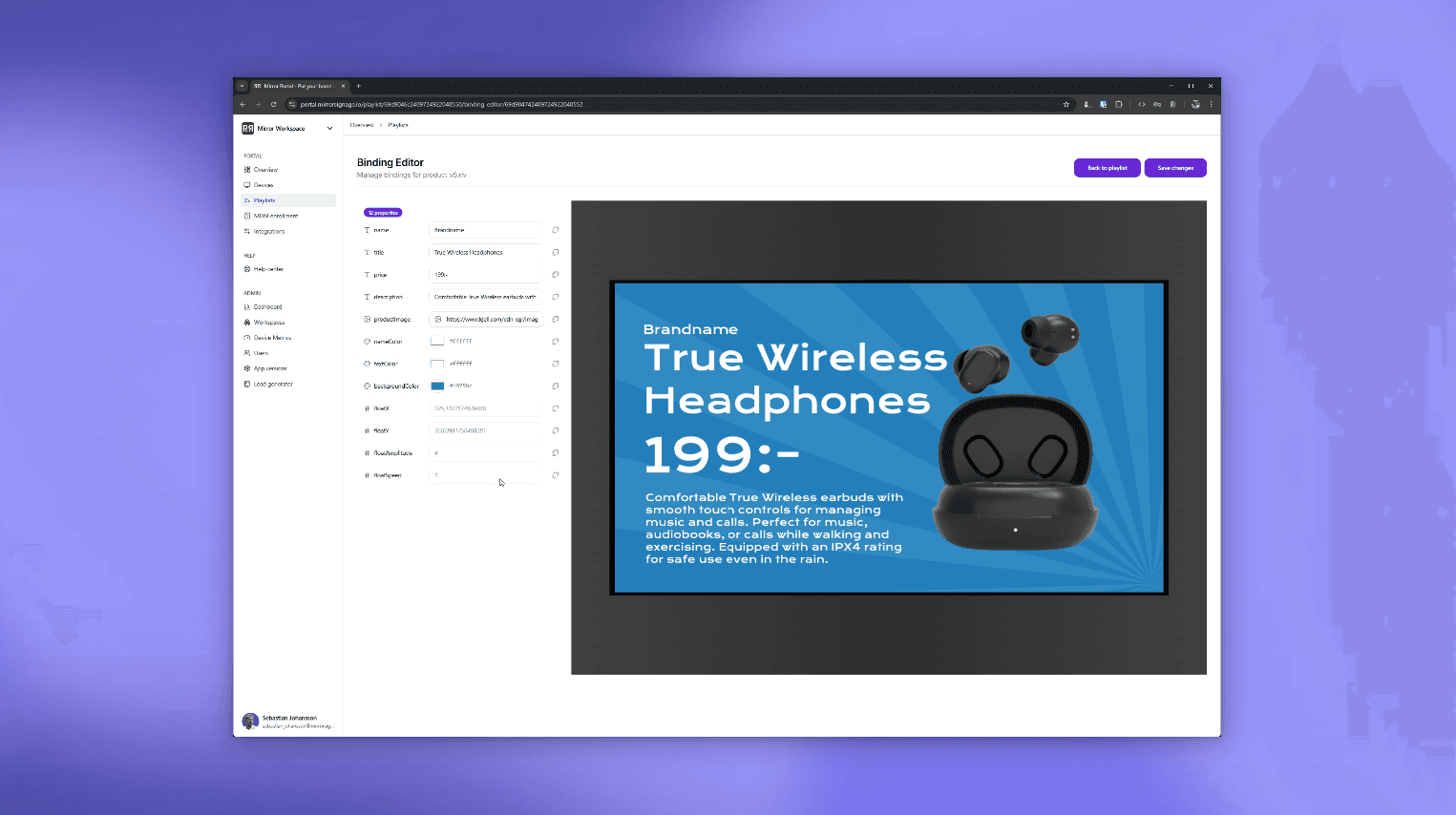
Once those properties exist, the designer can bind them directly to anything in the artboard: the text of a label, the fill of a shape, the input of a state machine, the position of a node. No code, no custom event plumbing, just a binding in the editor.
The host application can then read and write those properties by name. Change a number, and the gauge moves. Change a string, and the headline updates. Change an enum, and the whole layout transitions. The animation reacts because Rive is doing the interpolation, easing, and rendering for you.
That's the whole idea: designers own the visuals, developers own the data, and the binding glues them together.
Why this matters for digital signage
Traditional digital signage tools force a choice. You either pre-render content as video (pretty, but frozen in time) or you fight with HTML templates that look dated the moment they ship. Neither approach handles the thing screens in the real world actually need to do: show the right information, looking great.
Rive Data Binding collapses that trade-off. A single Rive file can be:
Designed once, by a designer, in a tool built for motion
Deployed to any screen running Mirror Signage on Apple TV
Configured with the exact values and labels each location needs, without re-exporting anything
Today, that means you can ship a single beautifully animated Rive scene and configure its ViewModel values per playlist or per screen inside Mirror Signage. The same menu board template can show different prices in different cafés. The same welcome scene can greet visitors with different messages in different lobbies. The same product showcase can highlight different SKUs in different regions. One design, many deployments, without ever opening the Rive editor again.
And because Rive renders as vectors at 60 fps, the result looks like a polished motion graphics piece, not a webpage with a refresh button.
Getting started
Rive Data Binding is available now on every Mirror Signage platform, with App version 2.3 or later. Upload a Rive file with a ViewModel, drop it into a playlist, and configure the values you want each screen to display. If you've never built a Rive file before, the Rive editor is free to start with and the learning curve is friendlier than you'd expect.
If this sounds like the kind of signage you want to run, design-led, dynamic, and ready for what's next. We'd love to show you a demo. The screens in your lobby, your office, your café, or your gallery deserve more than a looping video. Rive Data Binding is how we get them there.

Want to see more before you join?
Book a demo with us and get a tour of the Mirror or dive in straight away with our free trial.